
Description
Free Roblox Greenscreen Tool for Photoshoots
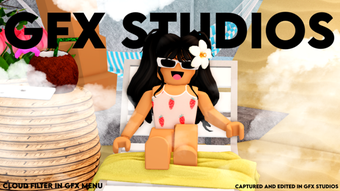
GFX Studios Photoshoot Greenscreen is a free desktop utility designed for Roblox players who want to enhance their in-game photoshoots with green screen effects. This tool allows users to replace the background of their Roblox character images with custom visuals, enabling creative and professional-looking content. It is particularly useful for content creators, streamers, and social media users focused on Roblox-related media. The software is developed by lalalalauren55, a creator known for utility tools within the Roblox community. Although the developer did not provide additional system requirements, the application is available for both Windows and Mac, and supports English, Spanish, and French languages. It was first published on Softonic on August 2, 2022. The current version is 0, and the file size is 1.2 MB. The tool is intended for offline use and does not require an internet connection after installation. Real-world usage includes preparing promotional images for Roblox fan pages, creating thumbnails for videos, or generating unique avatars for social profiles.
Key Features & Capabilities
- Green Screen Background Replacement – Enables users to remove the default Roblox background from character images and replace it with any custom image or video. This feature supports creative freedom for users designing content for social media or in-game promotions.
- Multi-Language Support – The software is available in English, Spanish, and French, making it accessible to a broader international audience within the Roblox community.
- Lightweight Design – At only 1.2 MB, the application is compact and quick to install, ideal for users with limited storage space or slower internet connections.
- Roblox-Specific Optimization – Built specifically for use with Roblox, the tool is tailored to handle the unique image formats and character rendering styles used in the platform.
- Offline Functionality – Once installed, the software operates without requiring an internet connection, ensuring consistent performance during content creation sessions.
Users can leverage these features to generate high-quality promotional images for Roblox events, create themed thumbnails for YouTube videos, or design unique avatars for fan art. The tool streamlines the process of background editing, reducing the need for external photo editing software. While exact performance metrics were not provided, the lightweight nature suggests minimal impact on system resources.
User Interface, Workflow & Performance
The user interface of GFX Studios Photoshoot Greenscreen appears to be designed with simplicity in mind, focusing on core functionality without unnecessary complexity. Navigation is likely straightforward, allowing users to import Roblox character images, select a green screen effect, and apply a custom background with minimal steps. The workflow is optimized for quick turnaround, ideal for users who need to produce multiple images in a short timeframe.
Given the software’s small file size and targeted use case, it is expected to load quickly and operate smoothly on most modern systems. However, the developer did not specify resource usage details such as CPU or RAM consumption. Performance observations are based on general software behavior patterns for lightweight desktop utilities. Stability is assumed to be adequate for basic image processing tasks, though no formal testing data was provided. The tool does not appear to include advanced settings or customization options, which may limit its use for users seeking granular control over the green screen effect.
Compatibility & System Requirements
GFX Studios Photoshoot Greenscreen is compatible with both Windows and Mac operating systems, making it accessible to a wide range of users across different platforms. The current version is 0, and the installation size is 1.2 MB. The developer did not provide additional system requirements, including minimum CPU, RAM, or graphics specifications. As a result, exact hardware compatibility information is limited. The software supports three languages: English, Spanish, and French. Users should ensure their system meets general desktop application requirements to run the tool successfully. No specific dependencies or runtime environments were mentioned. The application is designed for offline use, which reduces reliance on external services or internet connectivity.
Pros and Cons
Pros
- Free to download and use with no hidden costs
- Compact size (1.2 MB) ensures fast installation and minimal storage usage
- Specifically designed for Roblox photoshoots with green screen functionality
- Available in multiple languages for global accessibility
- Operates offline, ensuring consistent performance without internet dependency
Cons
- Version number is listed as 0, which may indicate an early or unverified release
- Exact system requirements were not provided, limiting user confidence in compatibility
- Limited to background replacement; no advanced editing tools included
- Developer did not provide performance or stability benchmarks
- No information on update frequency or long-term support
FAQ Section
Is GFX Studios Photoshoot Greenscreen safe to download?
The software is hosted on Softonic, a third-party platform known for distributing software. While no security issues have been reported, users should ensure they download from trusted sources and scan the file with antivirus software before installation.
Can I use this tool without an internet connection?
Yes, once installed, the application operates offline. No internet connection is required during use, making it suitable for environments with limited connectivity.
What operating systems does it support?
GFX Studios Photoshoot Greenscreen is compatible with both Windows and Mac operating systems.
Does the software require a license or registration?
No, the tool is completely free and does not require any license key or user registration.
How often is the software updated?
The developer has not provided information on update frequency. The current version is listed as 0, which may suggest infrequent or no updates.
Final Thoughts + CTA
GFX Studios Photoshoot Greenscreen offers a straightforward, no-cost solution for Roblox creators seeking to enhance their in-game photoshoots with green screen effects. Its lightweight design, multi-language support, and offline functionality make it a practical choice for users focused on content creation within the Roblox ecosystem. While the lack of detailed system requirements and a version number of 0 raise some questions about its maturity, the tool delivers on its core promise: background replacement for Roblox images. It is best suited for casual users, social media content creators, and Roblox fans who want a simple utility without the complexity of full-featured photo editors. For those looking to elevate their visual content with minimal effort, this free desktop tool presents a compelling option. Download GFX Studios Photoshoot Greenscreen now.
Guides & Tutorials for GFX Studios Photoshoot Greenscreen
How to install GFX Studios Photoshoot Greenscreen
- Click the Preview / Download button above.
- Once redirected, accept the terms and click Install.
- Wait for the GFX Studios Photoshoot Greenscreen download to finish on your device.
How to use GFX Studios Photoshoot Greenscreen
This software is primarily used for its core features described above. Open the app after installation to explore its capabilities.
User Reviews for GFX Studios Photoshoot Greenscreen 0
No reviews found





